Collection Paradise Onboarding
Welcome to Collection Paradise! If an admin at your library service has set up your collection and given you an access code you’ll be able to follow the steps below to create your account and access your collection data.
Step 1: Create Your Account
Navigate to collectionparadise.com.au in your web browser.
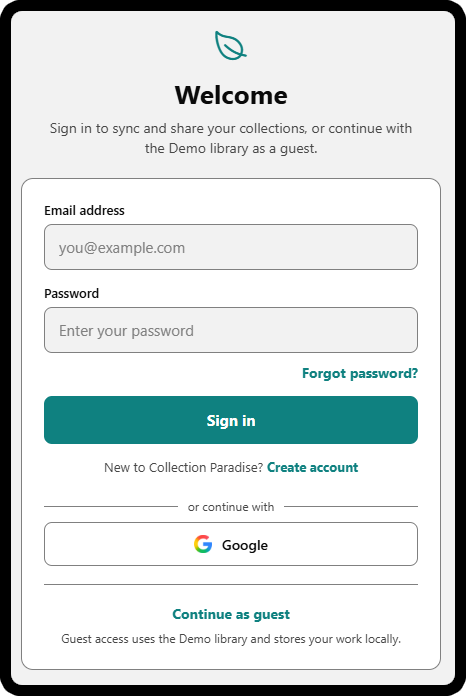
On the initial login screen, select Create an Account (alternative options include signing in or continuing as a guest).
Enter your preferred email address, display name, and password.
Click Create an Account (if you’d prefer, you can select Continue with Google to use an existing google identity instead of creating a new account)
Step 2: Connect your Collection Data
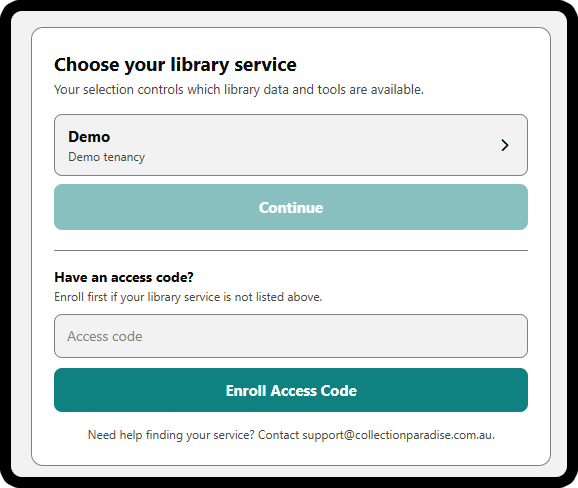
After logging in you’ll be prompted to select a library service. By default, new accounts are restricted to the demo data set. To link your account to your library service:
Enter the official access code provided by your library service.
Click Enroll Access Code.
Select your library’s collection data and press continue.
You are now ready to begin managing your collection!
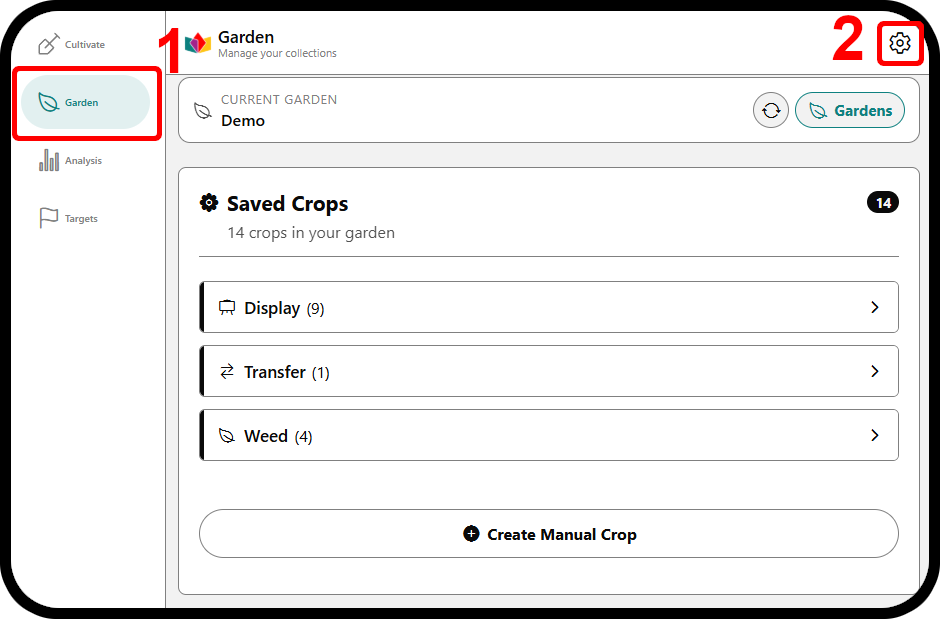
Guest Access Note: If you previously explored Collection Paradise as a guest, then you might not see the initial login screen. you can still create an account and access your library service data at any time. Simply navigate to Garden from the left-hand menu (1), then click the settings cog in the top-right corner of the screen (2). From here you can access the previously shown screens to create an account, sign in or out, and select your library service.